
5 Best Software for Paving Contractors in 2026

The best software for paving contractors in 2026 includes OneCrew, Bitumio, and Jobber.
OneCrew leads for full project workflows, Bitumio serves small residential asphalt maintenance contractors, and Jobber works well for service-based crews.
Paving contractors face unique challenges that generic construction platforms can't handle. Projects get lost during handoffs between sales and operations teams, and training new estimators without proper systems can take months instead of weeks.
You need a platform that understands asphalt pricing, material calculations, crew scheduling, and provides visibility into where you actually make or lose money on jobs.
5 Best Paving Platform Tools: At a Glance
1. OneCrew: Best Paving Contractor Platform
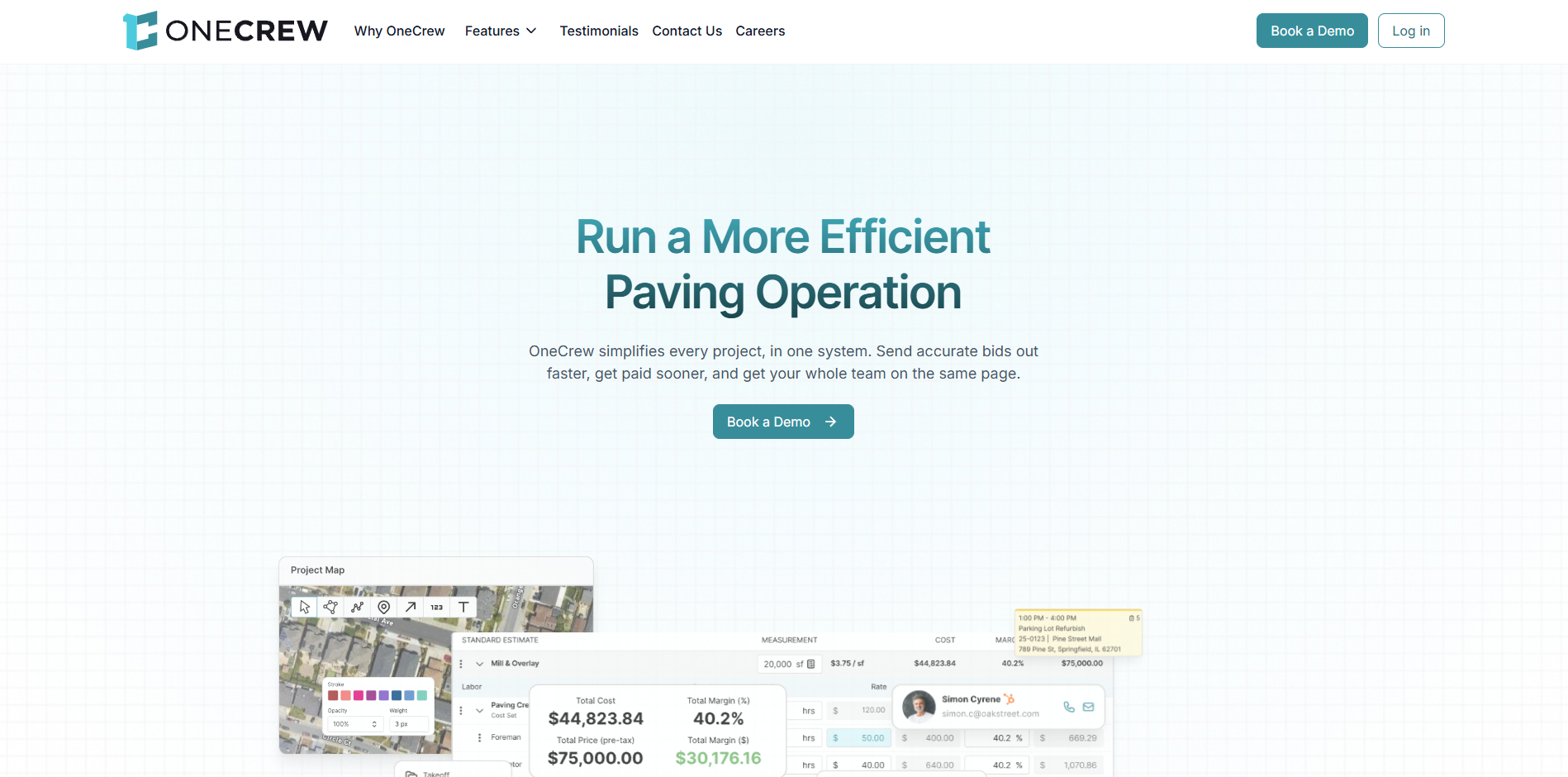
OneCrew is a cloud-based management platform built specifically for paving contractors who handle asphalt and concrete projects. It centralizes everything from lead capture through final invoicing in one unified system.
OneCrew works perfectly for contractors transitioning from spreadsheets and whiteboards to digital workflows. The platform can reduce estimating time by up to 75% and provides complete project visibility that most paving contractors have never experienced.
Key features
- CRM and lead management: Capture leads from your website, track conversations, and convert prospects into projects without losing opportunities in email threads.
- Interactive mapping and takeoff tools: Measure properties directly in the platform, create professional proposals with site maps, and generate accurate material calculations.
- Drag-and-drop scheduling: Assign crews and equipment to jobs, optimize routes, and keep everyone informed about daily schedules and project changes.
- Mobile work orders and field management: Crews access schedules, capture job photos, and track time without paperwork or phone calls back to the office.
- Real-time job costing and analytics: Track actual costs against estimates, identify profitable jobs, and make data-driven decisions about pricing and operations.
OneCrew pros
- Reduces estimating time dramatically: Templates and automated calculations mean you create accurate estimates in minutes instead of hours.
- Complete project visibility: See every job's status, profitability, and crew assignment from one dashboard without jumping between programs.
- QuickBooks integration: Invoicing and payment data syncs automatically, eliminating double entry and accounting headaches.
OneCrew cons
- Learning curve for teams new to digital workflows: Moving from pen-and-paper requires training and process changes across your organization.
- May include more features than solo operators need: The platform is built for growing businesses, not individual contractors working alone.
Pricing
Seat-based pricing available during demo consultation.
Bottom line
OneCrew is the top choice for paving contractors ready to systematize their operations. You'll want another platform if you only need basic scheduling or prefer separate tools for different functions.
2. Bitumio: Best for Small Residential Asphalt Maintenance Contractors

Bitumio is an estimating and scheduling platform designed for small, residential asphalt maintenance contractors. It automates the calculations for sealcoating and crack-filling that general platforms struggle to handle accurately.
Bitumio's pre-configured calculations automatically factor in crack sizes, application methods (e.g., spray vs. squeegee), trucking logistics, and crew production rates.
That specialization makes it valuable for residential maintenance contractors but limits its appeal for commercial work, new construction, and concrete.
Key features
- Auto-calculates material needs based on crack measurements: Eliminate guesswork with precise calculations
- Trucking and travel time automation: Factor in logistics costs automatically
- Professional proposal templates: Stand out with polished, branded estimates
- Automated follow-up reminders: Never lose another bid to poor follow-through
- Mobile app for crew schedules: Keep field teams informed without constant calls
Bitumio pros
- Highly specialized for asphalt maintenance workflows and calculations
- Bitumio reports a 40% reduction in proposal creation time through automation
- Simple flat pricing at $149/user/month includes all features
Bitumio cons
- Limited to maintenance work, not suitable for new construction
- Lacks ability to configure or customize calculations and other features to your business
- Lacks features for concrete or general paving projects
- No advanced project management for complex multi-phase jobs
Pricing
$149/user/month (free mobile app access).
Bottom line
Bitumio sits firmly in the small residential asphalt maintenance niche, with solid calculation accuracy and workflow automation. Contractors focused on residential sealcoating and repairs will get real value from it, but those handling commercial work or diverse project types need a broader platform.
3. Jobber: Best for Small Paving Maintenance Crews
Jobber is a field service management platform that works for small crews handling small paving maintenance, quick repairs, and residential driveway work. It emphasizes scheduling, invoicing, and customer communication over complex project management.
The platform excels at managing recurring maintenance work, quick repair jobs, and residential paving projects where speed and customer service matter more than detailed project tracking.
Key features
- Quote creation and customer management: Create professional estimates quickly, manage customer information, and track job history in one system.
- Scheduling and dispatch: Assign jobs to field workers, optimize routes, and keep customers informed about arrival times and job progress.
- Mobile field management: Crews access schedules, capture job photos, clock in and out, and communicate with customers through mobile apps.
- Invoicing and payment processing: Generate invoices immediately after job completion, accept online payments, and automate payment follow-ups.
- Customer communication tools: Send appointment reminders, arrival notifications, and follow-up messages to improve customer experience.
Jobber pros
- Quick setup and easy adoption: Most teams start using Jobber productively within days rather than weeks or months.
- Strong customer communication features: Automated messaging and professional invoices impress customers and reduce no-shows.
- Affordable for small teams: Basic plans work well for solo contractors or small crews without major financial investment.
Jobber cons
- Limited project management capabilities: Not designed for complex multi-phase paving projects or detailed cost tracking.
- Costs increase rapidly with team growth: Adding users and advanced features pushes monthly costs to the $200–600 range quickly.
Pricing
Jobber lists four plans on its pricing page; costs vary by plan, features, and number of team members. Annual discounts make a meaningful difference. For example:
- Core costs $49/month (billed monthly) or $29/month for 1 user (billed annually).
- Connect costs $139/month (billed monthly) or $99/month for 1 user (billed annually).
- Grow costs $199/month (billed monthly) or $149/month (billed annually) for 1 user.
- Plus costs $499/month (billed monthly) or $399/month (billed annually) for 5 users.
- Plus costs $699/month (billed monthly) or $529/month (billed annually) for 15 users.
Bottom line
Jobber works best for contractors handling small paving maintenance and residential repairs rather than complex commercial projects. Choose specialized paving platforms if you manage multi-day commercial jobs or detailed estimating from blueprints.
Note: Compare Jobber's features and pricing in detail in our thorough Jobber reviews and Jobber pricing breakdown.
4. PlantDemand: Best for Asphalt Plant Scheduling
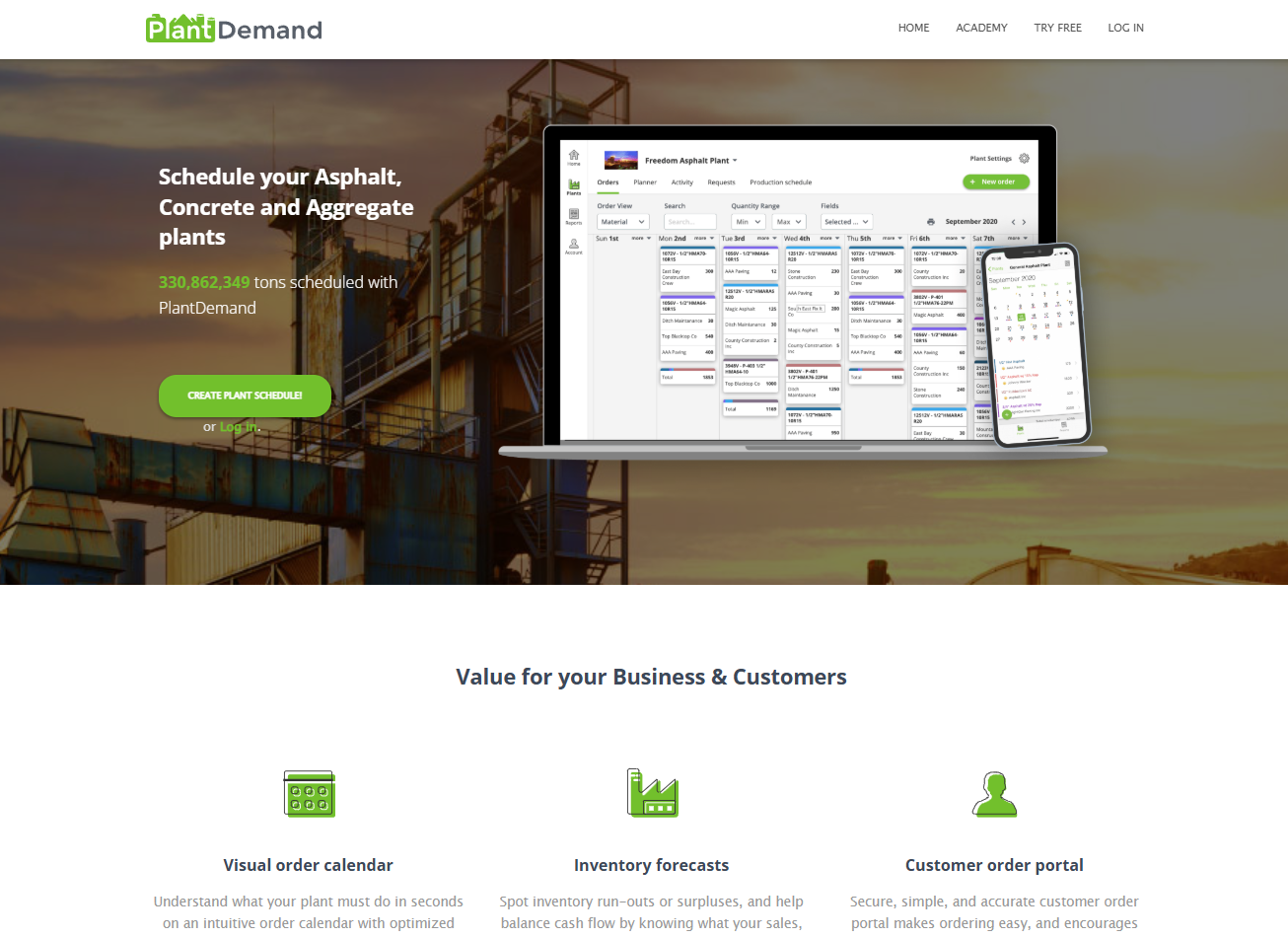
PlantDemand is a specialized scheduling platform designed specifically for asphalt plants and material suppliers. It helps coordinate production schedules, customer orders, and material logistics for plant operations.
It’s not a full contractor management platform, but PlantDemand solves critical scheduling challenges for paving contractors who operate their own plants or work closely with material suppliers.
Key features
- Online plant scheduling: Create and manage asphalt production schedules that all team members can access from any device.
- Customer portal for ordering: Contractors and customers can place orders, check schedules, and receive updates through a dedicated portal.
- Material and mix management: Track different asphalt mixes, aggregate requirements, and production capabilities across multiple plants.
- Mobile access for field teams: Sales teams and plant operators can view schedules and make changes from smartphones and tablets.
- Production forecasting: Plan ahead for busy periods, coordinate with suppliers, and optimize plant use.
PlantDemand pros
- Eliminates scheduling conflicts: Real-time visibility prevents double-booking and miscommunication between plants and contractors.
- Fast order entry: Create new orders faster using optimized interfaces designed for plant operations.
- Improves customer service: Contractors can check plant schedules and confirm delivery times while on-site with customers.
PlantDemand cons
- Limited to plant operations: Doesn't handle contractor estimating, crew scheduling, or job management beyond material coordination.
- Niche application: Only valuable for contractors who operate plants or need tight integration with suppliers.
Pricing
Contact PlantDemand for custom pricing based on plant size and usage. PlantDemand also offers a 30-day free trial.
Bottom line
PlantDemand is useful for paving contractors who operate asphalt plants or need precise material scheduling coordination. Most contractors will need additional platforms for project management and field operations.
5. HCSS HeavyJob: Best for Heavy Civil Paving Projects
HCSS HeavyJob is a project management platform built for heavy civil contractors handling large-scale infrastructure projects. It tracks project costs, manages field operations, and integrates with estimating tools for complex paving work.
The platform works best for contractors handling highway projects, airport runways, and other large commercial paving work that requires detailed cost tracking and compliance reporting.
Key features
- Daily job costing and tracking: Monitor project costs in real time, compare actual performance against estimates, and identify budget issues early.
- Field data collection: Crews capture time cards, equipment usage, weather conditions, and progress photos from mobile devices.
- Integration with accounting systems: Sync project data with Sage, ViewPoint, QuickBooks, and other accounting platforms automatically.
- Project reporting and analytics: Generate detailed reports for project stakeholders, track productivity metrics, and analyze job performance.
- Change order management: Document project changes, track additional costs, and keep accurate billing records.
HCSS pros
- Thorough cost tracking: Detailed job costing helps large projects stay within budget and stay profitable.
- Strong integration capabilities: Works with other HCSS modules and third-party accounting systems.
HCSS cons
- Complex setup and learning curve: Designed for large organizations with dedicated admin staff and training resources.
- Expensive for smaller contractors: Pricing and features target mid- to large-sized contractors rather than small businesses.
Pricing
Custom pricing depending on company size and features needed.
Bottom line
HCSS HeavyJob is the right choice for large paving contractors handling complex infrastructure projects. Smaller contractors will find better value in platforms designed for their scale and needs.
Note: Learn about essential equipment for paving operations in our paving equipment names guide.
Which Paving Platform Should You Choose?
Choose OneCrew if you …
- Need complete project visibility from initial estimate through final invoice payment
- Want to replace multiple tools with one integrated platform built specifically for paving contractors
- Are ready to systematize operations beyond spreadsheets and whiteboards with dedicated training and implementation
Choose Bitumio if you …
- Run a small residential asphalt maintenance operation
- Focus on sealcoating and crack filling rather than new construction or concrete
- Want pre-configured calculations more than configurable ones
Choose Jobber if you …
- Run a small maintenance crew on quick, recurring residential work
- Value customer communication and fast invoicing over project tracking
- Are looking for the lowest-priced option
Choose PlantDemand if you …
- Operate your own asphalt plant or coordinate closely with a material supplier
- Need production and delivery scheduling rather than contractor project management
Choose HCSS HeavyJob if you …
- Run DOT and heavy civil projects that need daily job costing
- Need deep historical cost tracking to measure field performance against the estimate
- Have field teams submitting time cards and production quantities every day
- Can invest in training for a powerful but complex platform
Final Verdict
OneCrew delivers the most value for paving contractors looking to modernize their operations. It's the only platform on this list that handles complete project lifecycles while being built specifically for paving contractors who work with asphalt and concrete.
Your choice depends on your business model, team size, and growth goals. Service-focused contractors might prefer Jobber's simplicity, and heavy-civil teams might need HCSS’s ample features.
Get Started with OneCrew
OneCrew is the best software for paving contractors because it gives them the tools to win more jobs, complete work faster, and track every dollar in one unified platform. Whether you need to reduce estimating time, improve crew scheduling, or finally get visibility into job profitability, OneCrew helps you grow:
- Project-based workflow management: OneCrew understands the difference between service calls and multi-phase paving projects, with tools designed for project-based contractors rather than field service businesses.
- Simplified operations: Stop juggling multiple programs and spreadsheets. OneCrew handles everything from initial estimates through project completion, crew scheduling, and financial tracking in one place.
- Better margins through improved management: OneCrew's estimating templates make consistent pricing across projects easy, while real-time job costing prevents cost overruns and identifies your most profitable work.
Ready to see how the best software for paving contractors works for your business? Book a demo today to discover how OneCrew transforms paving operations.
FAQs
1. What's the best paving software for small contractors?
The best paving software for small contractors is OneCrew, with Jobber coming in second for service-focused work. OneCrew provides complete project management built for paving contractors. Jobber works well for maintenance and repair calls.
2. Do these platforms integrate with QuickBooks?
Yes, OneCrew, Bitumio, and Jobber all integrate with QuickBooks Online. These integrations sync invoicing, payment data, and customer information to reduce double entry and accounting errors.
3. Can paving estimating software handle material calculations?
Yes, specialized platforms like OneCrew include built-in calculators for asphalt quantities, truck loads, and material costs. Generic construction platforms often lack these industry-specific calculations.
4. What's the difference between project-based and service-based paving software?
Project-based platforms like OneCrew handle multi-day jobs with detailed estimating, crew scheduling, and cost tracking. Service-based platforms like Jobber focus on quick jobs, customer communication, and simple invoicing without complex project management.
5. How much does asphalt paving software typically cost?
Most are priced by seat. Platforms built for small businesses cost less, while more robust options with deeper feature sets charge more. Reach out for current and accurate pricing.
6. Can these tools handle both residential and commercial paving work?
Yes, platforms like OneCrew handle both residential and commercial projects. Bitumio works well for small residential asphalt maintenance, whereas HCSS primarily targets large commercial and infrastructure work.

