
15 Best Jobber Alternatives for Contractors in 2026

The three Jobber alternatives worth your shortlist first: OneCrew for project-based asphalt and concrete paving, Bitumio for asphalt maintenance estimating, and Housecall Pro for busy home-service teams.
I spent weeks digging into 15 platforms, running each against real contractor workflows, and pulling live pricing straight from every vendor's own page.
Below you'll get what each tool does well, where it falls short, and who it's actually built for, so you can stop guessing and pick the one that matches how you run your jobs.
15 Best Jobber Alternatives: TL;DR
- OneCrew: Best for project-based asphalt and concrete paving contractors
- Bitumio: Best for asphalt maintenance and sealcoating estimating
- Housecall Pro: Best for home-service teams that live on service calls
- Contractor Foreman: Best for budget-conscious general contractors
- Projul: Best for flat-rate pricing with no per-user fees
- Knowify: Best for commercial trade contractors who live in QuickBooks
- JobNimbus: Best for roofing and exterior contractors
- ServiceTitan: Best for large service operations with dedicated office staff
- Buildertrend: Best for residential home builders and remodelers
- JobTread: Best for residential builders focused on financial tracking
- Procore: Best for large commercial general contractors
- Pavement Layers: Best for a simple paving and sealcoating sales process
- HCSS HeavyJob: Best for heavy civil and DOT field-to-office job costing
- B2W Estimate: Best for heavy civil estimating and bidding
- Workiz: Best for phone-heavy service trades
Why Look for Jobber Alternatives?
Jobber runs quick service jobs beautifully, but it starts to strain the moment your work looks like a project instead of a service call. It works well for solo operators and small service teams running one-visit jobs. Jobber’s clean interface covers quoting, scheduling, and invoicing, while growing or project-based crews often need more control.
Here are some reasons to look for alternatives:
- Team costs rise in steps: On monthly billing, Jobber ranges from $49/month for Core (1 user) to $699/month for Plus (15 users). Custom plans for 16+ employees are also available. Extra users cost $29/month after the included seats, per Jobber’s pricing page. Paving crews should compare that total with asphalt bidding software that offers a more predictable pricing model.
- Multi-phase projects need more control: Jobber organizes work around visits, which suits service calls. Projects that span weeks, crews, and phases need phase scheduling, multi-crew assignments, and deeper cost visibility.
- Paving estimates still need spreadsheets: Jobber handles standard service quotes. Paving crews still need to calculate asphalt yield and verify asphalt thickness outside the platform.
- Field and job-costing workflows can feel light: Higher tiers track labor, materials, and expenses, but phase-level margin remains limited. Crews that need OSHA safety documentation or roller operator training records attached to a job may need a field-first system.
Which Jobber Alternative Should You Choose?
Here's the quick decision guide before the deep dives. Match the tool to how your work actually runs:
- Choose OneCrew if you run project-based asphalt or concrete paving work and want estimating, scheduling, and invoicing connected from lead to final invoice. Not the fit for HVAC, plumbing, or other service trades.
- Choose Bitumio if you focus on asphalt maintenance, sealcoating, and crack filling and want trade-specific proposal math at a transparent per-user price. Less useful for concrete-heavy or new-construction work.
- Choose Housecall Pro if you run service-call work like HVAC, plumbing, or cleaning and want a polished dispatch and payments experience. Not built for multi-phase projects.
- Choose Contractor Foreman if you're a small general contractor who wants broad project management features at the lowest entry price. Expect a learning curve.
- Stick with Jobber if you're a solo operator or small service crew running one-visit jobs and the clean interface and simple workflow already cover everything you need. There's no reason to switch just to switch.
15 Best Jobber Alternatives: Quick Comparison
Note: Pricing correct at the time of writing. Always verify current rates with each vendor.
1. OneCrew
OneCrew is the best Jobber alternative for project-based asphalt and concrete paving contractors. Where Jobber treats every job as a service visit, OneCrew speaks the language of paving: takeoffs from plans, multi-phase job tracking, and billing built around real projects.
Key features
- Configurable estimating with built-in calculators for labor, materials, equipment, and subcontractor line items, so bids match how you actually price paving work
- Site and plan mapping with PDF takeoff, two separate tools that let you measure from aerial imagery or mark up blueprints
- Crew scheduling and assignments by job phase, so teams know where to be and what the scope is before they leave the yard
- Customer portal where clients view and sign proposals, view and pay invoices, share documents, and message your team
- QuickBooks Online sync that keeps invoicing and payment data current without double entry
OneCrew pros
- Purpose-built for paving, so the workflows fit asphalt and concrete work instead of forcing you into a service-call template
- Connects estimating, scheduling, and invoicing so data flows from takeoff to final invoice with no re-entry
- Highly configurable estimating automations handle complex bid construction
- Independent ownership means your data stays yours, not held by a paving roll-up or competitor
- Contractors report cutting estimating time by up to 75%
OneCrew cons
- Focused exclusively on paving, so it's not the right fit for general service trades like HVAC or plumbing
- No built-in accounting, so you'll keep QuickBooks or an ERP for your books
- Job costing data lives in OneCrew and does not sync to QuickBooks; only invoicing and payment information syncs
Best for
- Asphalt and concrete paving contractors of any size running project-based work
- Teams graduating from spreadsheets and whiteboards who want one connected system
- Contractors who want to protect margin with real-time job costing and analytics
Pricing
OneCrew uses seat-based pricing that scales with your company size and feature needs. Pricing is shared during a demo, so book a demo to get a quote for your team.
2. Bitumio

Bitumio is the most transparent asphalt-specific Jobber alternative on the market. Built for asphalt paving and maintenance contractors, it publishes its price right on the pricing page and automates the messy calculations behind sealcoating, crack filling, and patching that generic tools fumble.
Bitumio factors in crack sizes, application methods like spray versus squeegee, trucking logistics, and crew production rates automatically, which saves real time on maintenance bids even as it narrows who the tool fits.
Key features
- Auto-calculating estimates that figure material, labor, and equipment based on your crew's production rates and job size
- Integrated map measurements built directly into proposals
- Job scheduling and costing to track crews and profitability
- Automated proposal follow-ups that remind estimators to stay in touch with prospects
Bitumio pros
- Purpose-built for asphalt maintenance calculations, so estimates stay accurate
- Transparent, published pricing with no sales-gate to see a number
- Crew members who only need schedule and job details get free mobile access
- Cuts proposal creation time by around 40%, per Bitumio
Bitumio cons
- Built around maintenance work, so it's a weaker fit for new construction or concrete-heavy operations
- Per-user cost adds up quickly once you have several office staff, estimators, and managers on paid seats
- Lighter on full project management for complex multi-phase jobs
Best for
- Asphalt paving, sealcoating, and pavement maintenance contractors
- Small office teams where three to five paid seats stay manageable
- Owners who want a clear price before committing to a demo
Pricing
Bitumio charges $149/user/month, and employees who need access to their schedule and job details via the mobile app are free. Yearly agreements come with savings you can ask about directly.
3. Housecall Pro

Housecall Pro is the best Jobber alternative for home-service teams that run on service calls.
It covers the same core ground as Jobber, scheduling, dispatching, invoicing, and payments, with a polished mobile experience trusted by over 200,000 pros, so for HVAC, plumbing, electrical, or cleaning it's the closest like-for-like swap on the list.
The tradeoff mirrors Jobber's: it's excellent at dispatching a tech to fix a water heater and weak at managing a months-long project with subs and change orders, so project-based contractors will feel the ceiling.
Key features
- Scheduling and dispatching to assign techs to the right job at the right time
- Estimates and invoicing with online payments and consumer financing
- QuickBooks Online sync on the Essentials plan and up
- Employee GPS tracking that locates techs by phone, no hardware required
Housecall Pro pros
- Clean, well-reviewed mobile app that field techs actually use
- Strong payments and financing tools to close bigger-ticket service jobs
- No long-term contracts, so canceling is straightforward
Housecall Pro cons
- Built for home services, not multi-phase construction or paving projects
- Housecall Pro does not include job costing built for complex project accounting
- Add-ons and per-user fees on the top tier push the real cost well above the headline price
Best for
- HVAC, plumbing, electrical, and cleaning businesses running service calls
- Solo operators and growing teams that want fast setup
- Shops that prioritize customer communication and payments
Pricing
Housecall Pro runs $59/month (Basic), $149/month (Essentials), and $299/month (MAX) on annual billing, with monthly billing roughly 10–35% higher, depending on tier. Additional MAX users cost $35/month each.
4. Contractor Foreman
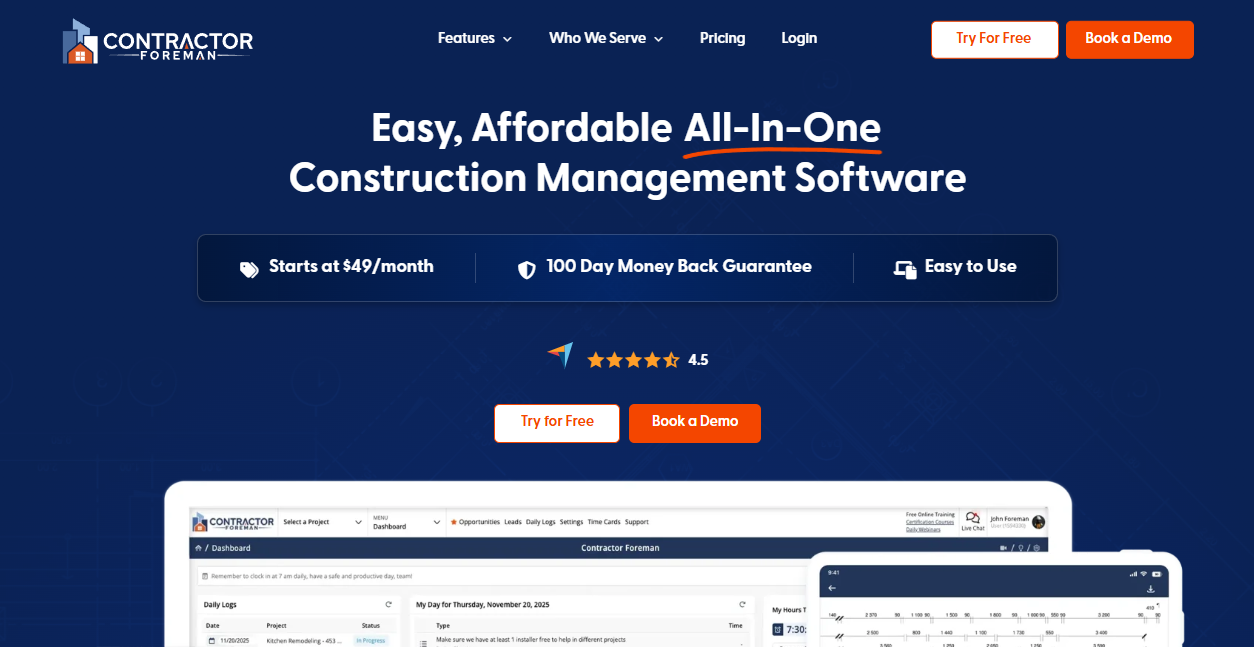
Contractor Foreman is the best Jobber alternative for budget-conscious general contractors.
It packs a wide set of construction management tools, project scheduling, estimating, daily logs, time cards, and a client portal, into one of the lowest entry prices in the category, so a small GC coming off spreadsheets gets a lot of functionality per dollar.
The catch is depth: several modules feel basic next to specialized platforms, the estimating workflow slows down with large cost databases, and there's a real learning curve during setup.
Key features
- Project management with Gantt scheduling, task dependencies, and daily logs
- Estimating and invoicing including AIA-style invoicing on higher tiers
- Time cards with GPS for field crews
- QuickBooks Online sync on all plans, with Desktop sync on higher tiers
Contractor Foreman pros
- Very low entry price with a rate-lock policy, so your cost doesn't climb as you grow
- Broad feature set that covers most daily contractor needs
- Unlimited projects with no per-project fees
Contractor Foreman cons
- Steep enough learning curve that setup takes real time
- Some modules feel shallow compared to purpose-built tools
- Estimating cost database draws complaints for missing everyday items
Best for
- Small to mid-size general contractors and remodelers
- Contractors running roughly under $10M in annual volume
- Teams that want maximum features at minimum cost
Pricing
Contractor Foreman offers plans starting at $49/month, with several higher tiers above that. All plans include a 30-day free trial.
5. Projul

Projul is the best Jobber alternative for contractors who hate per-user fees. Its flat-rate pricing flips Jobber's per-seat math on its head, so adding your 50th employee costs the same as your 5th and the budget conversation changes for a growing crew.
Built by a contractor who ran a general contracting company, Projul covers estimating, scheduling, job costing, CRM, and invoicing across the whole project, which makes it a strong construction generalist even though it isn't paving-specific the way a vertical tool is.
Key features
- Estimating with templates that convert directly into scheduled projects
- Multiple-view scheduling including Gantt charts, with one-click estimate-to-task conversion
- Real-time job costing and WIP reporting
- QuickBooks Online and Desktop two-way sync
Projul pros
- Flat-rate pricing with no per-user fees on any plan
- Full platform from day one, no stripped-down starter tier
- Strong mobile app and well-rated support
Projul cons
- Not built for a specific trade, so paving crews miss asphalt-specific calculators
- Annual-only billing means a larger upfront commitment
- Some reviewers find it more than very small teams need
Best for
- Small to mid-size general contractors and remodelers
- Growing teams where per-seat software costs are becoming a budget line
- Contractors replacing several disconnected tools
Pricing
Projul offers three annual plans: Core at $4,788/year, Core+ at $7,188/year, and Pro at $14,388/year, all with no per-user fees.
6. Knowify
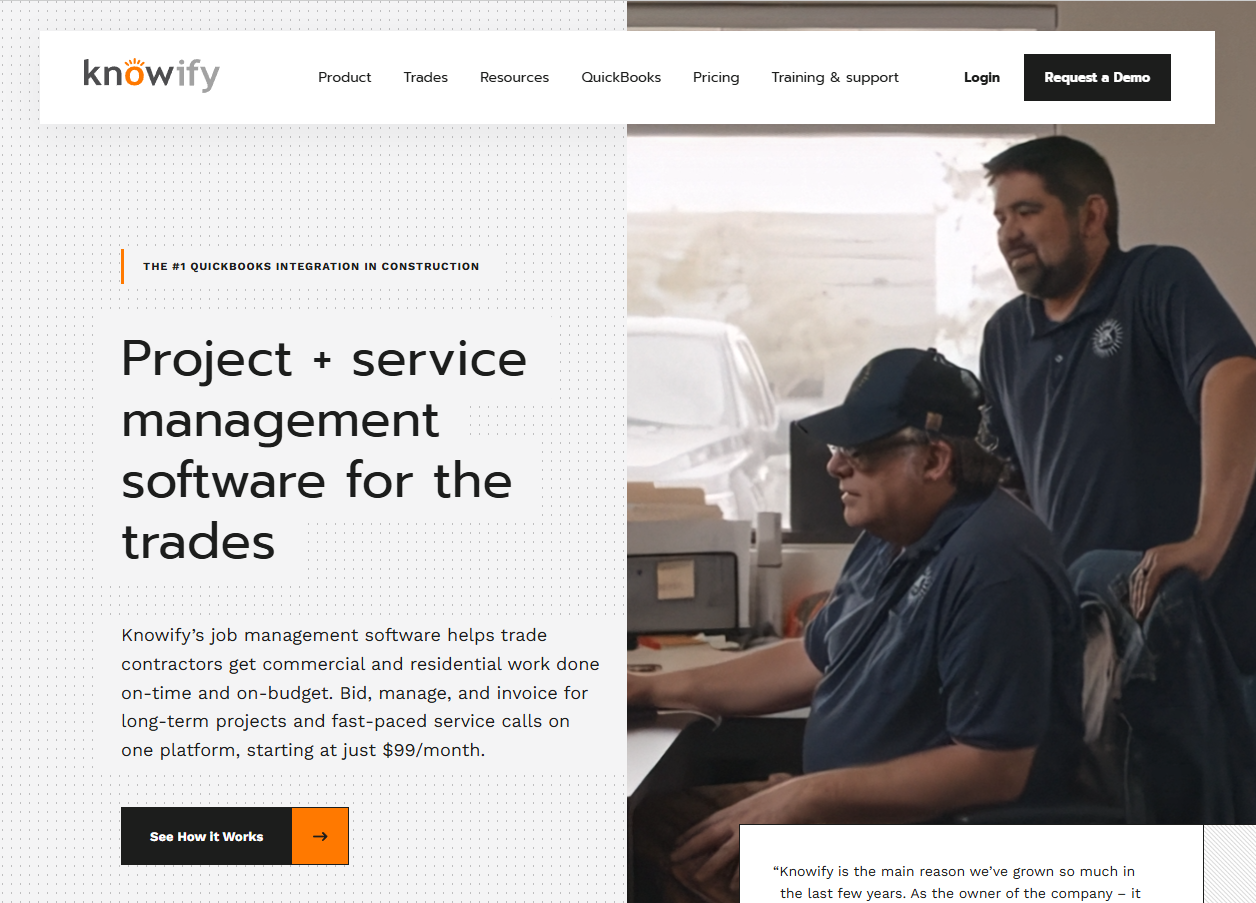
Knowify is the best Jobber alternative for commercial trade contractors who live in QuickBooks.
A job management and costing platform for commercial and residential trades, it's known for one of the strongest QuickBooks syncs in construction, and it goes deeper than Jobber ever tried to on AIA billing, progress billing, and detailed job costing.
It handles both long-term contract jobs and service work in one system, which suits electricians, plumbers, painters, and concrete subs juggling different job types; the interface feels a little dated, but the financial control underneath is the draw.
Key features
- Job costing that assigns expenses to the right project, phase, and cost category automatically
- AIA pay applications with G702 and G703 forms, retainage, and change-order reconciliation
- Progress billing with a real-time QuickBooks sync
- Change orders created for e-signature or logged from field approvals
Knowify pros
- Best-in-class QuickBooks Online sync eliminates double entry
- Strong AIA and progress billing for commercial work
- Handles contract jobs and service work in one platform
Knowify cons
- Interface feels dated and takes time to learn
- Per-user fees stack on top of the base plan
- Reporting and mobile usability draw some criticism
Best for
- Small to mid-size commercial trade contractors
- Teams that need AIA billing and detailed job costing
- QuickBooks-first businesses that want tight financial sync
Pricing
Knowify's Core plan is $99/month (annual) or $149/month (monthly) for one user, and Advanced is $329/month (annual) or $399/month (monthly) for 10 users, with additional users at $29/month. Enterprise pricing is custom.
7. JobNimbus
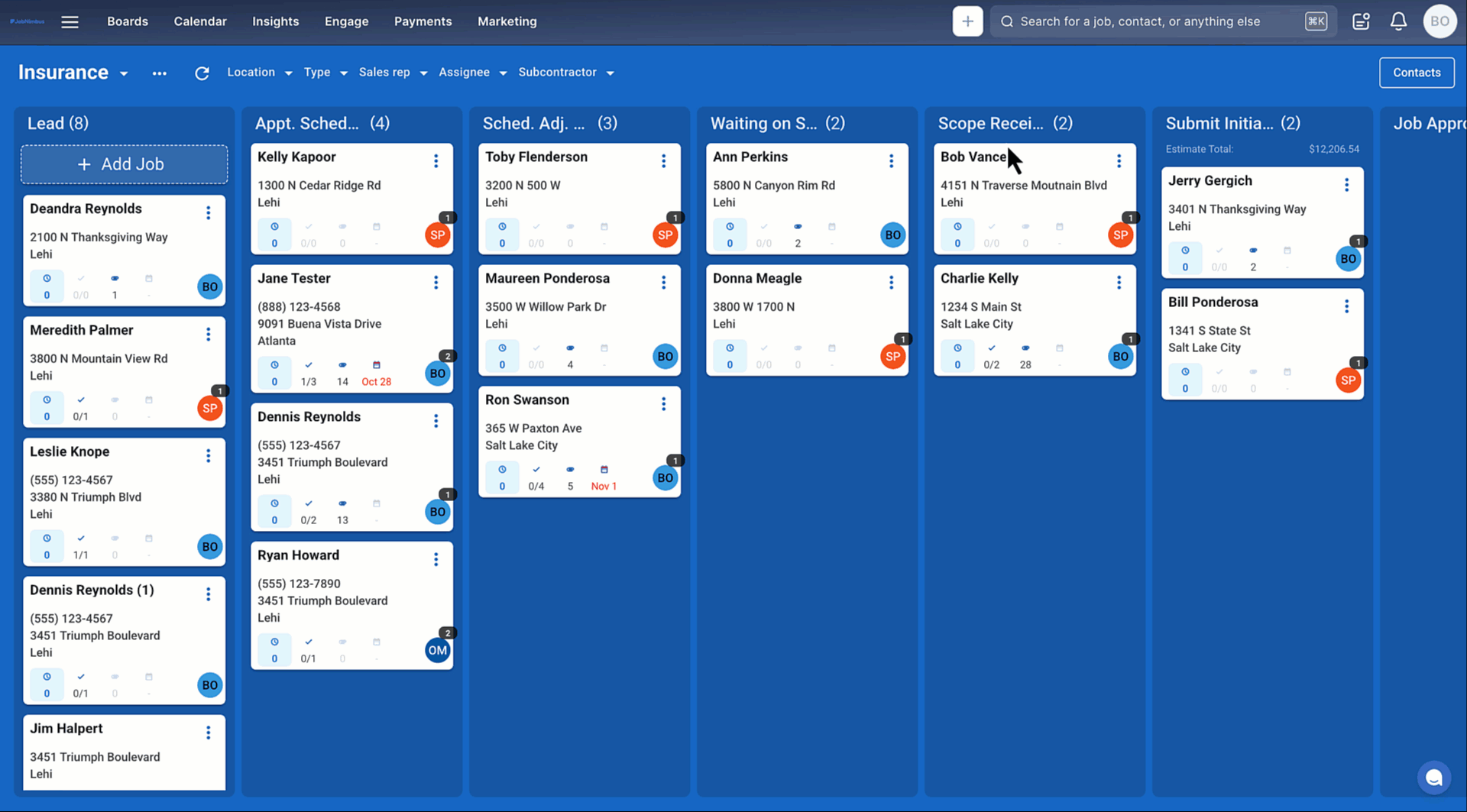
JobNimbus is the best Jobber alternative for roofing and exterior contractors.
A CRM and project management platform built around roofing sales pipelines, it pairs drag-and-drop job boards with insurance claim tracking and aerial measurement integrations, fitting an insurance-heavy workflow in ways a general service tool like Jobber doesn't.
Key features
- Visual Kanban boards designed around roofing sales stages
- Insurance claim tracking built into the job workflow
- Aerial measurement integrations with EagleView and similar tools
- QuickBooks sync for invoices, payments, and estimates
JobNimbus pros
- Purpose-built for roofing and exterior sales pipelines
- Highly customizable workflows and boards
- Top-rated mobile app with strong field adoption
JobNimbus cons
- Built for roofing, so HVAC, plumbing, and paving contractors fit poorly
- Texting and some tools are paid add-ons on top of the base plan
- Pricing isn't published, so you need a quote to compare
Best for
- Roofing, restoration, solar, gutter, and siding contractors
- Sales-driven teams that manage insurance claims
- Contractors who want a pipeline-first CRM
Pricing
JobNimbus does not publish pricing publicly. You request a quote based on your team size and the tools you need. A 14-day free trial is available.
8. ServiceTitan
ServiceTitan is the best Jobber alternative for large service operations with dedicated office staff.
An enterprise-grade platform for HVAC, plumbing, and electrical companies, it sits well above Jobber in both capability and price, with deep dispatching, CRM, reporting, and marketing tools aimed squarely at service businesses running at scale.
It's a great fit if you're in a services trade, but if you run project-based work like paving, a project platform serves you better, and ServiceTitan has stated its platform isn't optimized for very small teams.
Key features
- Dispatching and scheduling with a drag-and-drop board
- Call booking and tracking tied to marketing ROI
- CRM and reporting with technician performance and revenue dashboards
- QuickBooks and Intacct integrations
ServiceTitan pros
- Comprehensive all-in-one platform for large service businesses
- Robust reporting and marketing attribution
- Proven at scale for 20-plus technician operations
ServiceTitan cons
- Built for service trades, not project-based paving or construction
- Per-technician pricing plus implementation fees make it expensive
- Steep, months-long implementation that overwhelms small teams
Best for
- Large HVAC, plumbing, and electrical service businesses
- Operations with 20-plus technicians and dedicated office staff
- Companies that will use the full marketing and reporting suite
Pricing
ServiceTitan does not publish pricing and quotes each business individually through a sales demo using a per-technician model. You’ll need to request a quote.
9. Buildertrend
Buildertrend is the best Jobber alternative for residential home builders and remodelers.
One of the most established names in residential construction management, it builds selections, client portals, scheduling, and daily logs around the home-building workflow and handles client-facing work far better than Jobber's service model.
The 2026 wrinkle: Buildertrend pulled its published pricing and now sends you to a custom quote, so you can't see a number without submitting your details first.
Key features
- Selections and client portal built for residential projects
- Scheduling and daily logs to keep jobs on track
- Change orders and progress billing
- QuickBooks and Xero integrations
Buildertrend pros
- Strong residential selections and homeowner-facing tools
- Deep feature set for custom home building
- Established platform with a large user base
Buildertrend cons
- Volume-based pricing means your rate can climb as revenue grows
- Steeper learning curve, per reviewer feedback
- Built for residential building, so paving and service trades fit poorly
Best for
- Custom home builders and residential remodelers
- Teams that need homeowner selections and client portals
- Builders comfortable with a sales-led pricing process
Pricing
Buildertrend no longer publishes pricing on its site. Its pricing page routes you to a custom quote based on your business.
10. JobTread
JobTread is the best Jobber alternative for residential builders focused on financial tracking.
It has gained traction with contractors who want strong cost tracking, budgeting, and estimating tied together, and because it's built for construction rather than service work, it handles budgets and job financials with more depth than Jobber.
It leans toward small residential teams where financial control is the priority, and the per-user pricing adds up as headcount grows, so it fits tighter crews better than large ones.
Key features
- Estimating and budgeting with detailed cost tracking
- Project management with production boards
- Payment processing and financial reporting
- Free customer and vendor portal users
JobTread pros
- Strong financial tracking and budgeting tools
- Unlimited jobs, documents, and files
- Free portal access for customers and vendors
JobTread cons
- Per-internal-user fees add up as headcount grows
- Built for residential building, not paving or service trades
- Real learning curve during setup, thanks to the depth of features
Best for
- Small residential builders and remodelers
- Teams of three to five where financial tracking is the top priority
- Contractors who want budgeting and estimating connected
Pricing
JobTread’s pricing uses a base plan + per-user pricing that’s $199/month and $20/month/internal user.
11. Procore
Procore is the best Jobber alternative for large commercial general contractors.
The enterprise standard for large-scale commercial construction, it packs deep document management, RFIs, submittals, and multi-stakeholder collaboration, operating in a different weight class from Jobber and aimed at big GCs managing complex drawing sets.
For most small to mid-size contractors it's overkill and overpriced: it bases your fee on annual construction volume, so your bill grows as your revenue grows, and there's no month-to-month option for most customers.
Key features
- Document management with RFIs and submittals at scale
- Project financials and budgeting
- Quality and safety tools
- Unlimited users on most plans
Procore pros
- Enterprise-grade document and project controls
- Unlimited users, which suits very large teams
- The default choice for large commercial GCs
Procore cons
- Revenue-based pricing that climbs as you grow
- Overkill for small and mid-size contractors
- Needs separate estimating tools for detailed takeoffs
Best for
- Large commercial general contractors
- Teams doing $20M-plus in annual volume
- Operations with dedicated procurement and IT staff
Pricing
Procore uses an Annual Construction Volume (ACV) model, where your cost is based on the total dollar value of your projects. You can get a quote during a sales conversation.
12. Pavement Layers

Pavement Layers is the best Jobber alternative for a simple paving and sealcoating sales process.
Built by pavement-industry veterans, it makes creating, measuring, and tracking proposals fast and simple, focused on winning work through a clean sales process that maintenance-focused crews find approachable.
For a paving or sealcoating contractor whose main pain is slow, messy proposals, it's a focused fix, though it's less of an all-in-one system than the top picks here, so contractors who need deep scheduling and job costing may want more.
Key features
- Proposal creation with a guided sales process
- Measurement tools for pavement jobs
- Proposal tracking to manage your pipeline
- Job management for won work
Pavement Layers pros
- Built by paving-industry people for paving workflows
- Simple and fast to create professional proposals
- Focused on winning more work
Pavement Layers cons
- Narrower than a full lead-to-invoice platform
- Lighter on deep job costing and analytics
- Pricing isn't published, so you need a demo
Best for
- Paving and sealcoating contractors focused on sales
- Maintenance crews that want faster proposals
- Smaller teams that don't need a full ERP
Pricing
Pavement Layers shares pricing and quotes through a demo.
13. HCSS HeavyJob
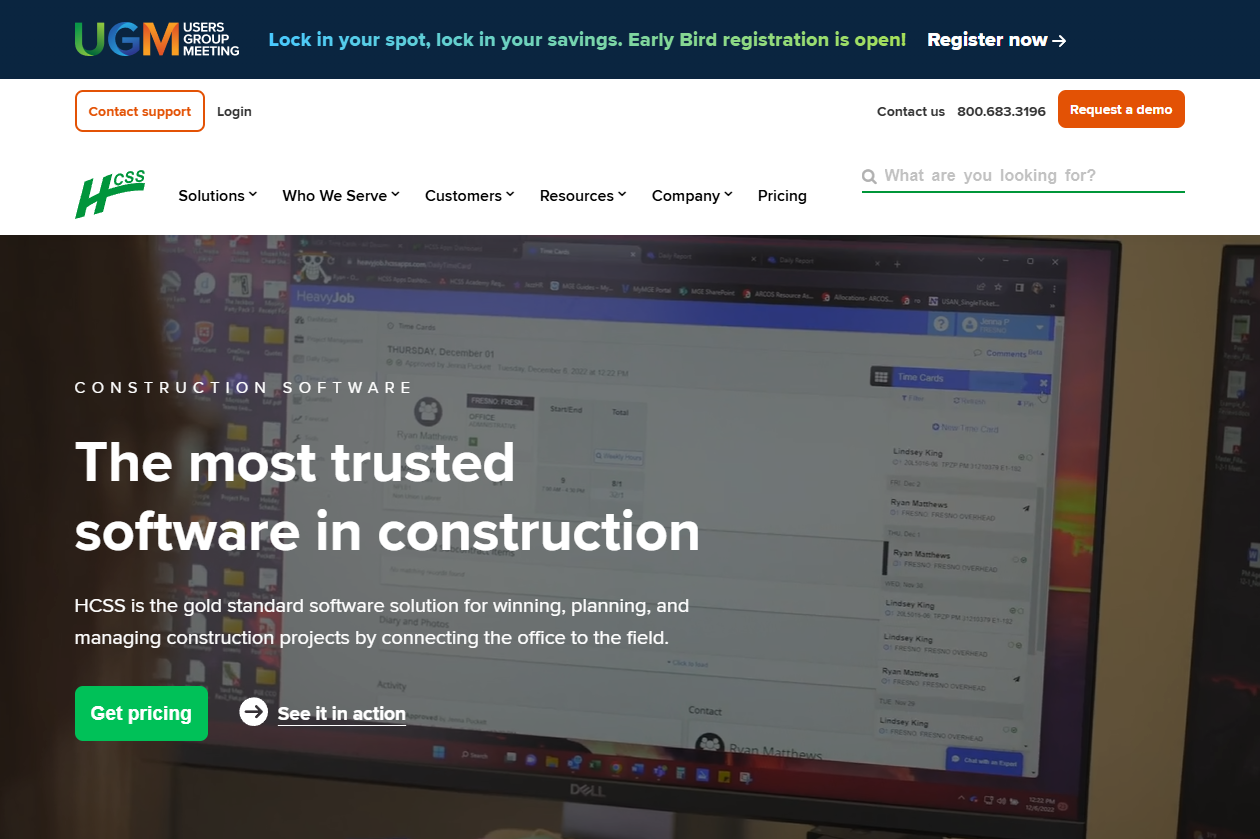
HCSS HeavyJob is the best Jobber alternative for heavy civil field-to-office job costing.
The established leader for heavy civil, infrastructure, and utility contractors, it captures crew time cards, equipment hours, production quantities, and daily job costing, solving the field-to-office tracking problem that general tools can't.
It's built for self-performing civil contractors tracking cost codes and pay items against bids, not for service calls or small paving shops, and the dated interface and steep learning curve mean it rewards teams that commit to it.
Key features
- Field time cards for crew hours, equipment hours, and quantities
- Daily job costing against budget and schedule
- Production tracking by cost code and pay item
- Payroll and accounting handoff to systems like Sage and QuickBooks
HCSS HeavyJob pros
- Purpose-built for heavy civil production tracking and job costing
- Works offline in the field, then syncs later
- Proven at scale with strong US-based support
HCSS HeavyJob cons
- Dated interface that needs many clicks for simple tasks
- Steep learning curve and significant implementation
- Cost climbs for larger workforces, and it's overbuilt for small paving crews
Best for
- Heavy civil, infrastructure, and utility contractors
- Self-performing crews tracking production against bid items
- Teams serious about cost codes and field-to-office control
Pricing
HCSS uses custom pricing tailored to your company size and modules, shared through a demo.
14. B2W Estimate
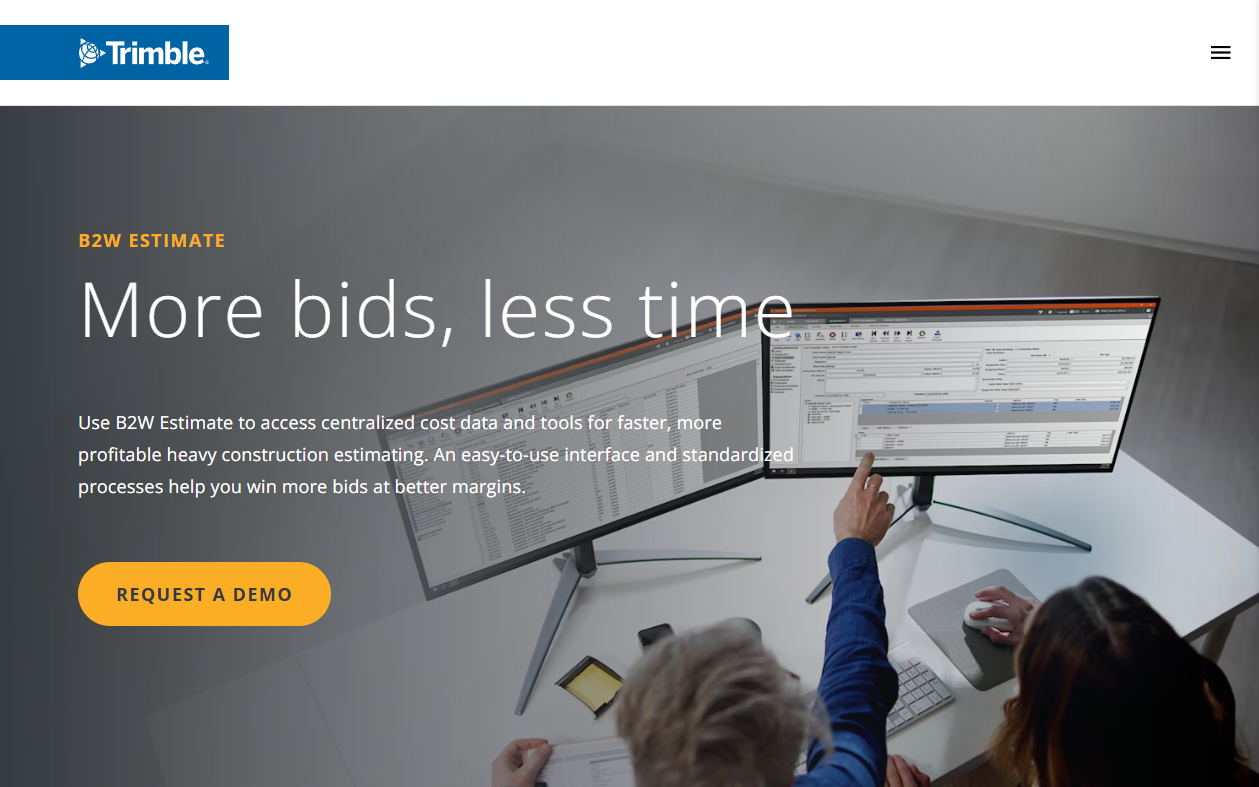
B2W Estimate is the best Jobber alternative for heavy civil estimating and bidding.
Now part of Trimble, it's a specialized estimating platform for heavy civil construction, with a centralized cost database, crew-based estimating, and DOT electronic bidding built for contractors bidding complex unit-price infrastructure work.
It shines on large, spreadsheet-killing bids where historical cost data drives accuracy, but that specialization comes with weight: it's a legacy, server-based tool with a steep learning curve and it's expensive for anyone outside heavy civil.
Key features
- Centralized cost database with labor, task, material, and equipment costs
- Pay-item and WBS bidding with hybrid formats
- Multi-estimator collaboration on a single bid
- DOT electronic bidding and accounting integrations
B2W Estimate pros
- Fast, accurate estimating for complex civil bids
- Automated error checking catches missing line items
- Integrates with ERP, accounting, and field tracking
B2W Estimate cons
- Legacy, server-based feel with a steep learning curve
- Very expensive for contractors outside heavy civil
- Overkill for small paving or service operations
Best for
- Heavy civil, highway, and infrastructure contractors
- Estimators bidding complex unit-price DOT work
- Larger operations with dedicated estimating teams
Pricing
B2W Estimate does not publish pricing publicly and quotes based on your needs and integrations.
15. Workiz
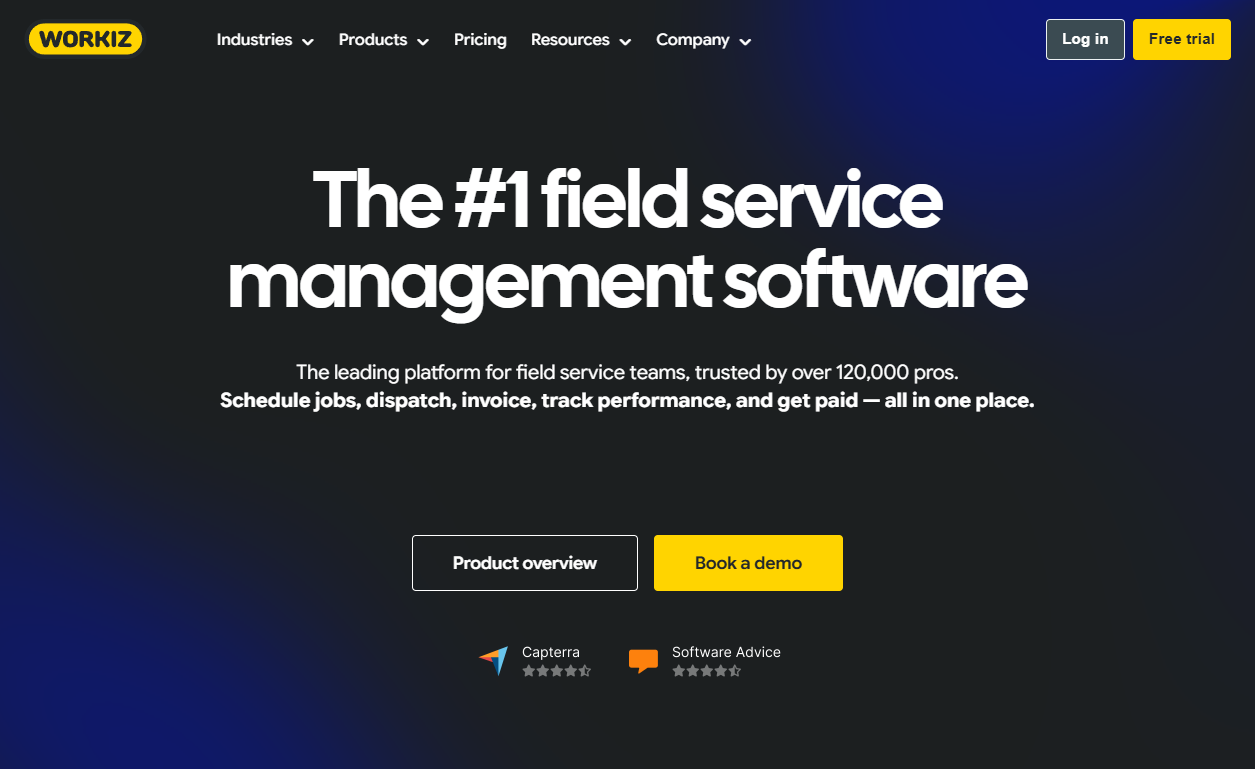
Workiz is the best Jobber alternative for phone-heavy service trades.
A field service platform with a built-in phone system, it stands apart for trades that live on inbound calls like locksmiths, appliance repair, and HVAC, handling scheduling, dispatching, invoicing, and payments alongside call tracking and recording in one place.
It's a service-first tool, so the same caveat as Housecall Pro applies: it organizes jobs, not multi-phase projects, which makes the integrated phone tools a genuine differentiator for a communication-heavy service shop and beside the point for project work.
Key features
- Integrated phone system with call tracking, recording, and masking
- Scheduling and dispatching with a live map view
- Invoicing and payments with automated follow-ups
- QuickBooks integration on higher tiers
Workiz pros
- Built-in phone system that suits call-heavy trades
- All-in-one scheduling, payments, and communication
- Client portal for service plans and payments
Workiz cons
- Service-first, so it's not built for project-based paving or construction
- Add-ons like phone minutes and SMS credits stack on the base price
- Some users report cost and support frustrations
Best for
- Locksmiths, appliance repair, HVAC, and other call-heavy service trades
- Small to mid-size service teams under 10 users
- Shops that want communication and dispatch in one tool
Pricing
Workiz lists three plans: Standard, Pro, and Ultimate. But you’ll have to request pricing to get a quote.
How to Evaluate Jobber Alternatives
Evaluate Jobber alternatives by work type, trade fit, total cost, workflow handoffs, and field use. Zoom into each of these:
- Match the tool to your job type: Choose a service platform for one-visit calls. Choose a project platform for work that spans phases, crews, and weeks.
- Check trade fit: Paving contractors need asphalt and concrete calculators, takeoffs, and phase tracking. Software built for another trade will require more setup and workarounds.
- Project the annual cost: Compare per-user, flat-rate, and revenue-based pricing at the team size you expect next year. A low entry price can rise fast as seats or revenue grow.
- Trace the handoffs: Check whether an estimate creates the budget, schedule, and invoice. Manual re-entry adds errors and slows the office team.
- Test the mobile app with a foreman: During the trial, ask them to open a work order, log time, attach a photo, and find directions. If those tasks take too many taps, crews are less likely to use the app.
Stop Patching Together Your Paving Business
Of all the Jobber alternatives on this list, OneCrew is the only one built specifically for how paving contractors work. Here's what it covers:
- Build accurate paving estimates without generic service-call math: OneCrew's estimating tools let you price jobs from PDFs or aerial maps with built-in calculators for labor, materials, equipment, and subs.
- Schedule crews to job phases across pre-construction, production, and billing: OneCrew's scheduling feature assigns crews and roles to specific project phases so your office and field stay aligned across pre-construction, production, and billing.
- Equip your field team with what they need before they leave the yard: The field management tools push mobile work orders, schedules, and GPS directions to crew phones and pull time and job data back to the office in real time.
- Send proposals that look sharper than a QuickBooks template: OneCrew's proposals feature generates professional, branded proposals directly from your estimate.
- Track every lead and customer interaction without a separate CRM: OneCrew's CRM keeps your leads, conversations, and project history in one place.
- Get paid faster with invoicing that syncs to QuickBooks automatically: OneCrew's invoicing tools sync invoicing and payment data with QuickBooks Online so your books stay organized without double entry.
You need one platform that ties estimating, scheduling, field management, and billing together from the first bid to the final invoice, with pricing built around margin rather than markup.
Book a free demo and see how it works for your operation.
FAQs
1. What is the best Jobber alternative for paving contractors?
The best Jobber alternative for paving contractors is OneCrew, because it's built specifically for project-based asphalt and concrete work. It connects estimating, scheduling, and invoicing in one platform and handles takeoffs, phase tracking, and paving-specific calculations that a service-call tool like Jobber wasn't designed for.
2. Why do contractors switch away from Jobber?
Contractors switch away from Jobber mainly because it's built for one-visit service work, not multi-phase projects. As teams grow, per-user costs climb, estimating stays generic, and job costing and field workflows feel thin for project-based trades like paving and commercial construction.
3. Are there cheaper Jobber alternatives?
Yes, there are cheaper Jobber alternatives depending on your team size. Contractor Foreman starts at $49/month with a rate-lock policy, and flat-rate platforms like Projul can cost less per person as your crew grows, since they don't charge per user the way Jobber does.
4. Do Jobber alternatives integrate with QuickBooks?
Yes, most Jobber alternatives integrate with QuickBooks. OneCrew, Knowify, Housecall Pro, and Projul all sync with QuickBooks Online for invoicing and payment data. Knowify and Projul also support QuickBooks Desktop, so check which version each tool connects to before you commit.
5. What is the best Jobber alternative for service businesses?
The best Jobber alternative for service businesses depends on size. Housecall Pro suits small to mid-size home-service teams, Workiz fits phone-heavy trades like locksmiths and appliance repair, and ServiceTitan works for large HVAC, plumbing, and electrical operations with dedicated office staff.

